RiskyClick
A phishing link checker that runs in your browser, trained on the phishing links I collected from 2020 to 2025.
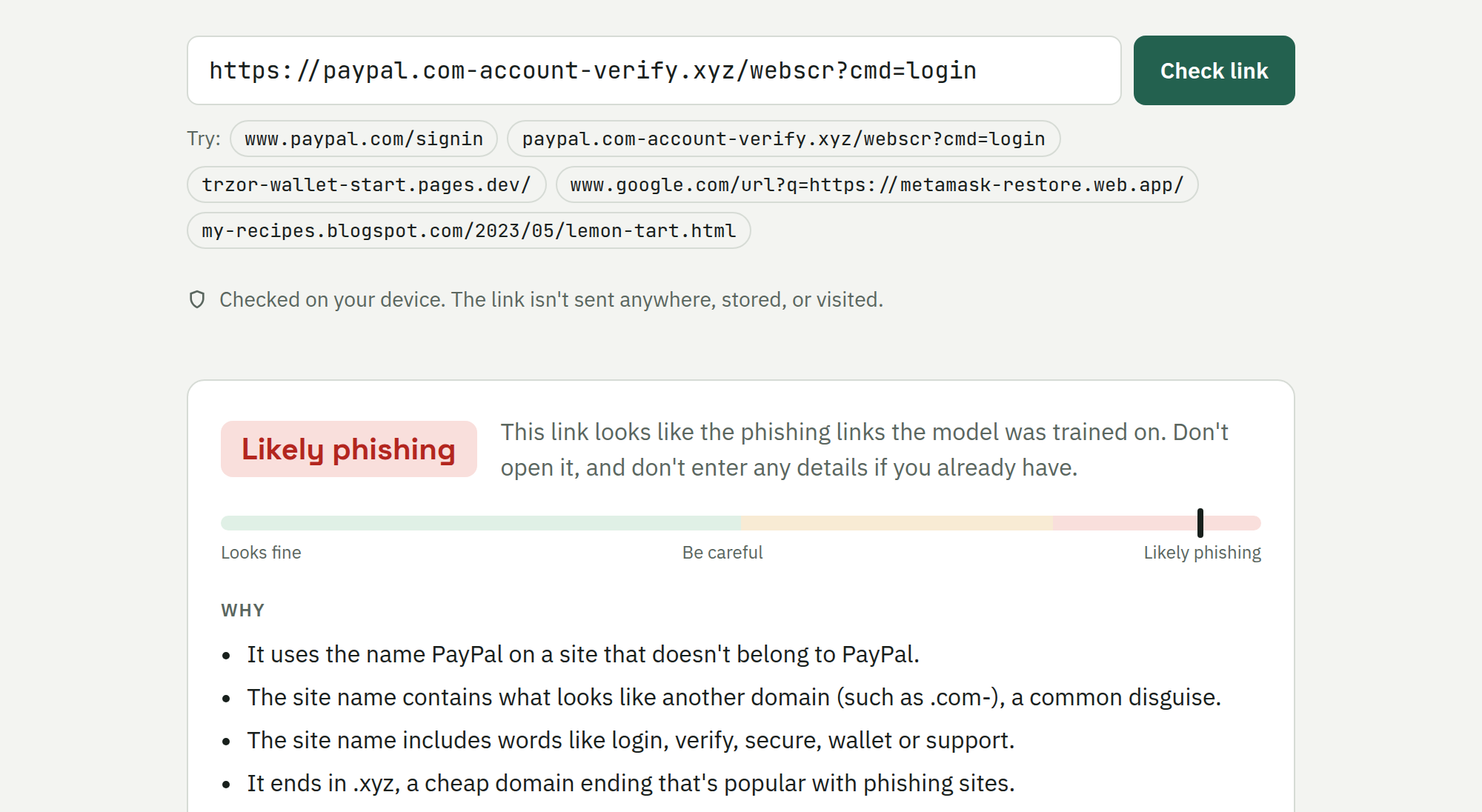
Does this link look like phishing? RiskyClick answers from the address alone. It runs entirely in your browser, so the link is never sent anywhere or opened, which makes it safe to check a link you don’t trust.
It started in 2020 as a pipeline that collected public phishing feeds around the clock. That collector ran until April 2025 and left behind 1.36 million phishing links, which became the training data.
How it works
- Phishing examples. Four and a half years of OpenPhish and PhishTank snapshots, consolidated from 12 GB of raw files into 1.36 million unique phishing links with the dates they were first seen.
- Safe examples. 2.7 million ordinary links from Common Crawl’s URL index, queried with Amazon Athena (about 7 cents for the lot). They’re chosen so the model can’t take shortcuts: real deep links rather than home pages, legitimate sites on the free hosting platforms phishers favour, and real login pages of the most-impersonated brands.
- Model. Two models, averaged: gradient-boosted trees over about 100 hand-written features
(brand names on sites that don’t own them, look-alike spellings such as
trzorandc0inbase, login and wallet words, redirect links, odd domain endings), and a logistic regression over character patterns. - In the browser. The features and models are ported to JavaScript, and a test checks that they give the same score as Python on 1,822 links. The page is static, on Cloudflare, and its Content Security Policy stops it sending the link anywhere.
How well it works
It’s tested on phishing reported between July 2024 and April 2025, after its training data ends. It flags 67% of those links while flagging 1 in 100 safe links, and 65% of phishing on sites it had never seen before. A blocklist of previously seen sites would have caught 5%.
Checking the results changed the project more than once:
- The “safe” data isn’t all safe. I hand-labelled 300 safe links: about 6% looked like phishing or scams (13% on free hosting platforms), and 1 in 5 couldn’t be called from the address alone, which is also the honest limit of a URL-only checker.
- The finished page caught what the metrics missed. Trying real links showed the model had
learned that redirect links (
google.com/url?q=…) were safe, because the safe data’s redirect links had been labelled by the wrapper’s domain. It now judges the link inside instead. - Real login pages look like phishing. So a link on a brand’s own domain is shown as safe, except pages anyone can publish on, such as Google Docs. The page says so, and the accuracy figures are for the model alone.